
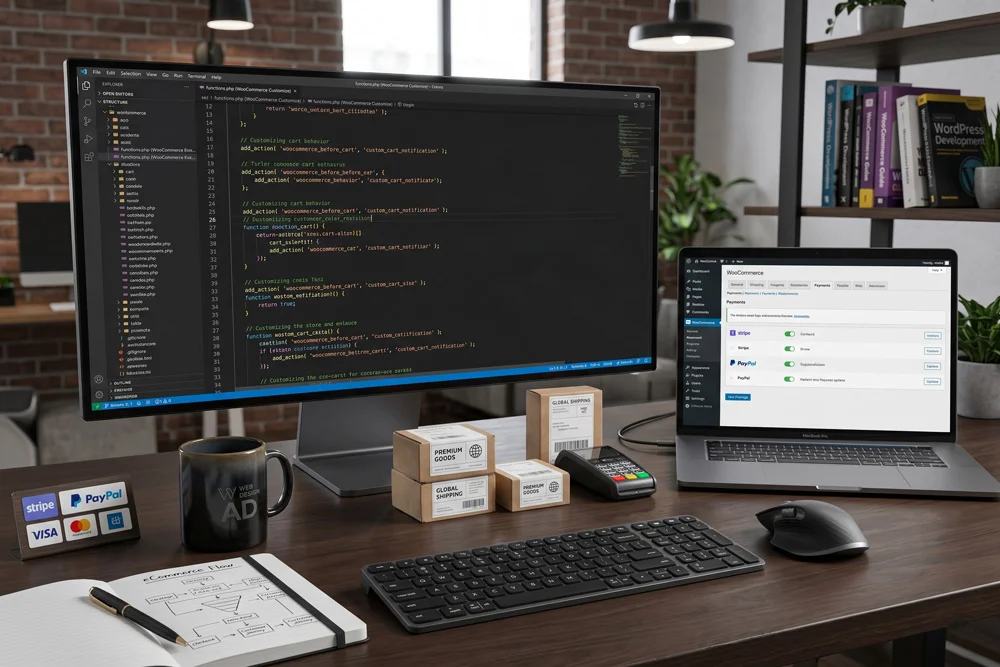
How to Start a Successful Online Store with WordPress
How to Start a Successful Online Store with WordPress Edit Template When you want to start an online store with WordPress, having the right technical foundation is absolutely crucial. Hello, I am Adnan Ahmad, a passionate developer with over three years of intensive industry experience. My agency, Web Design AD, specializes in crafting highly functional, visually stunning websites tailored for maximum conversions. Building an eCommerce platform requires more than just installing a theme. It demands a deep understanding of user experience, backend architecture, and seamless integrations. By combining powerful tools with custom coding capabilities, you can build a digital storefront that stands out. To successfully start an online store with WordPress, you need to follow a structured, strategic approach. We will explore the technical setup, essential plugins, and advanced customization techniques to ensure your digital business thrives from day one. Why You Should Start an Online Store with WordPress Today Choosing the right platform is the single most important decision for your digital business. Many proprietary platforms limit your ownership and restrict your creative freedom. Opting to start an online store with WordPress completely eliminates those barriers. As an open-source content management system, it grants you absolute control over your digital assets. You own your data, your customer lists, and your code. There are no surprise fee increases or sudden restrictions on what you can sell. Furthermore, the ecosystem is massive. Thousands of developers constantly contribute to improving the core software, creating a highly secure and scalable environment for businesses of all sizes. Unmatched Customization with HTML, CSS, PHP, and JavaScript Pre-packaged solutions often force you into rigid design templates. However, when you start an online store with WordPress, the customization potential is truly infinite. With my background in HTML, CSS, PHP, and JavaScript, I regularly transform basic templates into unique, brand-specific experiences. You can tweak every single pixel on the screen. From creating complex hover animations with CSS to writing custom PHP functions that alter how the checkout process behaves, you are never boxed in. JavaScript allows you to build dynamic, asynchronous features like instant cart updates and live product filtering. These technical enhancements drastically reduce friction and improve the overall buyer journey. Essential Prerequisites to Start an Online Store with WordPress Before touching any code or installing software, you must lay a rock-solid foundation. Skipping these preliminary steps often leads to performance issues and security vulnerabilities down the road. The very first requirement is securing a high-quality web hosting environment. Your host acts as the physical real estate for your digital shop. Cheap, shared hosting can result in slow loading times, which directly harms your search engine rankings and frustrates potential buyers. Look for managed hosting solutions specifically optimized for eCommerce environments. They offer dedicated resources, advanced caching mechanisms, and automated daily backups to protect your valuable data. Selecting a Brandable Domain Name Your domain name serves as your digital identity. It should be memorable, concise, and easy to spell. Avoid using hyphens or complex number combinations that confuse potential visitors. Ideally, your domain should reflect your specific niche or brand name. Once you have registered the perfect domain and secured reliable hosting, you are ready to move to the technical implementation phase. Step 1: Installing Software to Start an Online Store with WordPress The installation phase is surprisingly straightforward thanks to modern hosting control panels. Most premium hosts offer one-click installation scripts that deploy the core files to your server in seconds. Once the core system is running, the next crucial step to start an online store with WordPress is installing WooCommerce. This powerful plugin transforms a standard website into a fully functional eCommerce powerhouse. To get the software, you can visit the WooCommerce official website and download the latest version, or simply install it directly through your dashboard plugin repository. The setup wizard will guide you through crucial initial configurations, including your store’s physical location, currency preferences, and basic tax calculations. Step 2: Selecting and Customizing Your eCommerce Theme A visually appealing storefront builds immediate trust with your visitors. When you start an online store with WordPress, selecting a lightweight, responsive theme is vital for both user experience and search engine visibility. Avoid heavy themes bloated with unnecessary features. Instead, choose a minimalist foundation that can be extended through custom code. As a designer with beginner proficiency in Photoshop and Illustrator, I always recommend preparing your visual assets before building the pages. Create custom banners in Photoshop to highlight seasonal promotions. Design vector logos in Illustrator for crisp, scalable brand identity. Optimize all images for web to ensure fast loading speeds. Using CSS, you can seamlessly integrate these visual elements, ensuring your brand colors and typography remain perfectly consistent across every single page. Step 3: Configuring Payment Gateways and Shipping Zones To successfully start an online store with WordPress, you must offer secure, frictionless payment options. Customers abandon carts rapidly if their preferred payment method is unavailable or if the checkout process feels unsecure. Integrate major payment processors like Stripe and PayPal. These platforms handle the sensitive financial data, ensuring your business remains PCI compliant without requiring expensive security audits. Shipping configuration is equally important. Define clear shipping zones based on geographic regions. You can set up flat-rate shipping, free shipping thresholds, or even integrate real-time carrier calculations to charge customers the exact postage cost. Step 4: Adding Products and Structuring Categories Your products are the lifeblood of your digital business. Proper organization helps search engines understand your catalog and helps customers find exactly what they desire. Create a logical category hierarchy before adding individual items. Broad categories should house sub-categories, creating a clear, intuitive navigation menu. Writing Compelling, Optimized Product Descriptions Never copy manufacturer descriptions. To rank well in search engines, you must write unique, persuasive copy for every item. Highlight the benefits, not just the technical specifications. Use high-resolution imagery to showcase the items from multiple angles. Since you want to start an online store with WordPress that outpaces competitors, consider adding brief