
Web Design AD

Author name: admin

How to Add a Contact Form That Actually Works
How-To's

How to Add a Contact Form That Actually Works

How to Add a Contact Form That Actually Works Edit Template When you set out to add a contact form that actually works, you are taking a crucial step toward establishing direct, reliable communication with your audience. Hello, I am Adnan Ahmad, a WordPress developer with 3+ years of experience[cite: 1]. My agency, Web Design AD, specializes in crafting highly functional websites[cite: 2]. Throughout my career, I have seen countless businesses lose valuable leads simply because their communication gateways were broken or poorly optimized. Building a robust communication portal requires more than just dragging and dropping a generic widget onto a page. To truly succeed, you need a deep understanding of WordPress customization, HTML, CSS, PHP, and JavaScript[cite: 2]. By leveraging these core technologies, you can transform a simple input field into a highly secure, conversion-focused asset. Many site owners feel frustrated when messages fail to deliver or when spam overtakes their inbox. However, by implementing the right technical configurations and design principles, you can eliminate these headaches completely. We will explore the backend setup, essential validation rules, and advanced customization techniques to ensure your digital communication remains flawless. Why You Must Add a Contact Form That Actually Works Today Relying solely on a naked email address displayed on your webpage is a massive security risk. Spambots constantly scrape the internet for exposed email addresses, leading to an overwhelming amount of junk mail. When you add a contact form that actually works, you instantly shield your primary communication channels from automated scrapers. Furthermore, a structured input system allows you to dictate exactly what information you collect. Instead of receiving vague emails, you can require users to specify their budget, project timeline, or specific service needs before they hit the submit button. Professional aesthetics also play a significant role. A well-designed interface builds immediate trust. As a developer, I regularly use my beginner knowledge of Photoshop and Illustrator to map out the visual aesthetics before writing any code[cite: 3]. This preparation ensures the final output aligns perfectly with your brand identity. The Core Mechanics Behind Seamless Lead Capture Pre-packaged form builders often come with unnecessary bloat that slows down your page speed. However, when you understand the underlying mechanics, you can keep your site lightweight and lightning-fast. Clean code is essential for user retention and search engine visibility. HTML provides the structural foundation for your input fields. CSS is then applied to style these elements, ensuring they match your brand colors, typography, and spacing perfectly. I heavily utilize custom CSS to create engaging hover states and smooth transition animations. To process the data securely, PHP handles the server-side operations, securely routing the user’s input directly to your inbox. Simultaneously, JavaScript provides crucial client-side validation, instantly alerting the user if they forget to fill out a required field or enter an invalid email format. Balancing Form Design with High Functionality Visual appeal means nothing if the underlying technology fails. A visually stunning interface must be paired with bulletproof backend routing. To add a contact form that actually works, you must configure your server’s mail protocol correctly. Relying on the default PHP mail function often leads to messages landing straight in the spam folder. Instead, integrating a dedicated SMTP (Simple Mail Transfer Protocol) service ensures high deliverability rates. This technical adjustment guarantees that every client inquiry reaches your primary inbox without delay. Crucial Steps to Add a Contact Form That Actually Works Before launching your communication portal, you must lay a rock-solid technical foundation. Skipping these critical configuration steps often leads to silent failures, where users believe they have sent a message, but you never receive it. The very first requirement is selecting a reliable plugin or writing a custom solution from scratch. If you choose a plugin, ensure it is frequently updated and highly rated within the official WordPress plugin repository. Once the foundation is set, you need to configure your notification settings. You must clearly define which administrative email addresses will receive the alerts and ensure the “Reply-To” headers are dynamically populated with the sender’s email address. Integrating Advanced Spam Protection Protocols Spam submissions are the bane of any website owner’s existence. If you plan to add a contact form that actually works, implementing robust anti-spam measures is absolutely non-negotiable. Avoid relying solely on simple math questions or distorted text captchas, as modern bots can easily bypass them. Instead, utilize invisible honeypot fields. These are hidden input fields that human visitors cannot see, but automated bots will instinctively fill out. If a honeypot field contains any data upon submission, your server instantly rejects the message. This method dramatically reduces spam without adding any friction to the legitimate user’s experience. Implement invisible honeypots to trap automated spambots silently. Configure advanced reCAPTCHA to analyze user behavior without requiring puzzle-solving. Set strict input limitations to prevent malicious code injections. Connecting Your Inputs to Email Marketing Campaigns Every submitted message represents a potential long-term relationship. Capturing these inquiries and seamlessly funneling them into your marketing ecosystem maximizes your return on investment. I know how to create Mailchimps integrations that directly connect your submission fields to your primary subscriber lists[cite: 3]. By adding a simple, transparent opt-in checkbox, you can rapidly grow your audience while handling daily inquiries. Once connected, you can automate your responses. A user who requests a quote can instantly receive an automated welcome sequence, introducing them to your brand values and showcasing your previous portfolio work while they wait for your personalized reply. Structuring Fields for Optimal User Experience Long, exhaustive questionnaires intimidate users. If your input fields look like a rigorous exam, your conversion rates will plummet. You must strike a delicate balance between gathering necessary data and maintaining a frictionless user experience. Only ask for information you truly need to initiate the conversation. A name, email address, and a brief message area are often sufficient for initial inquiries. You can always gather more detailed project specifications during a follow-up discovery call. If you absolutely must collect extensive details, consider

What to Expect When Working with a Web Developer
Client Guides

What to Expect When Working with a Web Developer

What to Expect When Working with a Web Developer Edit Template When you start working with a web developer, you are taking a monumental step toward establishing a dominant digital presence. Hello, I am Adnan Ahmad, a WordPress developer with 3+ years of experience[cite: 1]. My agency, Web Design AD, is dedicated to helping businesses thrive online[cite: 2]. Understanding the development process can alleviate stress and ensure your project runs smoothly from conception to launch. Building a successful website requires much more than simply picking a template. It involves a deep understanding of user experience, backend architecture, and seamless integrations. By combining powerful tools with custom coding capabilities, professionals can build a digital storefront that truly stands out in a crowded marketplace. Many business owners feel overwhelmed by the technical aspects of launching a site. However, clear communication and a structured approach make all the difference. We will explore the technical setup, essential phases, and advanced customization techniques to ensure your digital business thrives from day one. The Initial Consultation Phase When Working with a Web Developer Choosing the right partner is the single most important decision for your digital business. The initial meetings set the tone for the entire project. This is the stage where your vision aligns with technical reality. Opting for a transparent communication strategy eliminates barriers and prevents scope creep down the line. During these early discussions, expect detailed questions about your target audience, your brand identity, and your primary business goals. You own your data and your brand vision; the developer’s job is to translate that into a functional digital environment. Furthermore, an experienced professional will audit your current digital assets. They will look at your existing domain, hosting environment, and any legacy code that might need updating to create a highly secure and scalable environment for your business. Defining the Project Scope and Technical Requirements Pre-packaged solutions often force you into rigid design templates. However, working with a web developer unlocks infinite customization potential. I frequently rely on my knowledge of WordPress customization, HTML, CSS, PHP, and JavaScript to transform basic concepts into unique, brand-specific experiences[cite: 2]. You can expect a detailed proposal outlining the exact deliverables. From creating complex hover animations with CSS to writing custom PHP functions that alter how your site behaves, every detail is meticulously planned before a single line of code is written. JavaScript allows the creation of dynamic, asynchronous features like instant search results and live content filtering. These technical enhancements drastically reduce friction and improve the overall user journey for your visitors. What to Expect During the Design Phase When Working with a Web Developer Before touching any code or installing software, a rock-solid visual foundation must be laid. Skipping these preliminary steps often leads to disjointed user experiences and continuous revisions that delay the launch. The very first requirement in the design phase is establishing wireframes. These act as the blueprint for your digital property. They outline where images, text, and calls to action will be placed, ensuring the user flow is intuitive and logical. Look for a collaborative approach during this phase. Your feedback is crucial to ensure the final product aligns perfectly with your brand identity and customer expectations. Creating Visual Assets and Brand Elements Your visual assets serve as your digital identity. They should be memorable, concise, and professionally crafted. As someone who knows Photoshop and Illustrator as a beginner, I understand the importance of preparing high-quality visual assets before building the pages[cite: 3]. Ideally, your imagery should reflect your specific niche. Once the perfect visuals are approved, the technical implementation phase begins. Review custom banners designed to highlight your core services. Approve vector logos for crisp, scalable brand identity across all devices. Ensure optimized images are selected for lightning-fast web loading speeds. The Development Phase: Working with a Web Developer Behind the Scenes The coding phase is where the magic happens. This is often the quietest period for the client, but the busiest for the professional. The core files are deployed to your server, and the foundational architecture is built. Once the core system is running, the next crucial step is installing essential functionality. This might include e-commerce capabilities, membership portals, or complex booking systems tailored entirely to your operational needs. If you want to understand the underlying framework, you can visit the official WordPress repository to see how open-source technology powers a massive portion of the internet. Your developer will guide you through crucial initial configurations, including site architecture, permalink structures, and database optimization. Strategic SEO Implementation When Working with a Web Developer A visually appealing site builds immediate trust with your visitors. However, without visibility, your beautiful website will remain hidden. When working with a web developer, ensuring proper search engine architecture is vital for organic growth. Avoid launching a site without foundational optimization. I am using the Rank Math plugin to ensure every site is positioned for the top SEO ranking[cite: 4]. This tool allows for comprehensive control over how search engines read and index your content. Key On-Page Optimization Steps Proper organization helps search engines understand your catalog and helps customers find exactly what they desire. Every single page must be structured with intent. Meta Titles and Descriptions: Crafted to maximize click-through rates from search results. Schema Markup: Implemented to provide context to search engines about your business type. Image Alt Text: Added to ensure accessibility compliance and boost image search rankings. Using CSS and HTML properly ensures your heading tags are nested correctly, maintaining a perfect semantic structure that search engine crawlers reward heavily. Integrating Third-Party Tools and Email Marketing To successfully run a modern website, you must offer secure, frictionless ways for users to interact with your brand. Visitors abandon sites rapidly if the user experience feels disconnected or outdated. Most first-time visitors will not make a purchase or contact you immediately. Capturing their contact information allows you to nurture leads and build long-term relationships. I also know how to create Mailchimps campaigns and seamlessly

Start an online store with WordPress
eCommerce

How to Start a Successful Online Store with WordPress

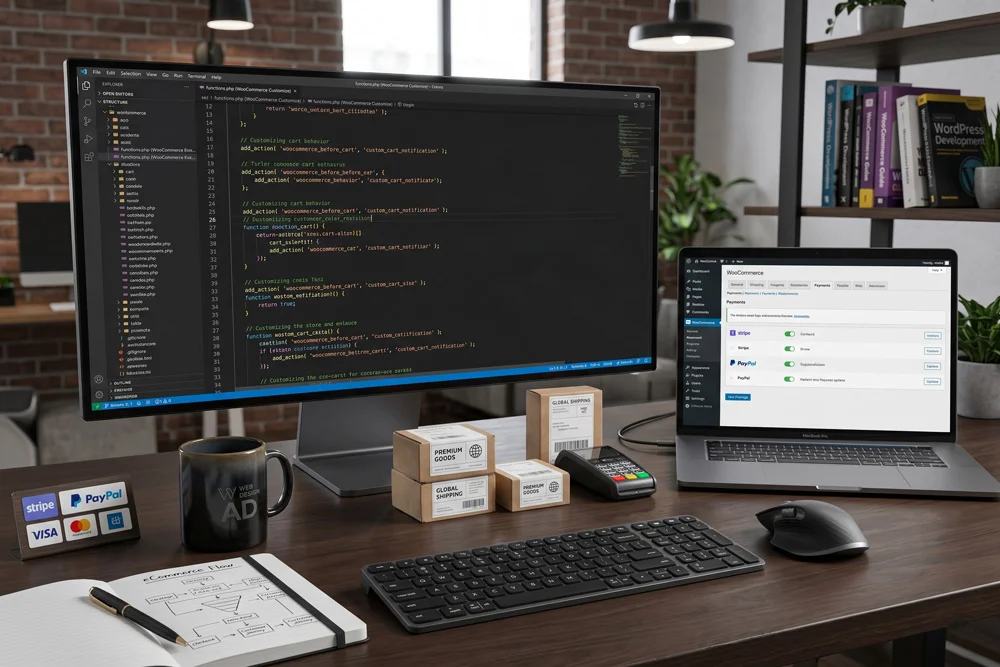
How to Start a Successful Online Store with WordPress Edit Template When you want to start an online store with WordPress, having the right technical foundation is absolutely crucial. Hello, I am Adnan Ahmad, a passionate developer with over three years of intensive industry experience. My agency, Web Design AD, specializes in crafting highly functional, visually stunning websites tailored for maximum conversions. Building an eCommerce platform requires more than just installing a theme. It demands a deep understanding of user experience, backend architecture, and seamless integrations. By combining powerful tools with custom coding capabilities, you can build a digital storefront that stands out. To successfully start an online store with WordPress, you need to follow a structured, strategic approach. We will explore the technical setup, essential plugins, and advanced customization techniques to ensure your digital business thrives from day one. Why You Should Start an Online Store with WordPress Today Choosing the right platform is the single most important decision for your digital business. Many proprietary platforms limit your ownership and restrict your creative freedom. Opting to start an online store with WordPress completely eliminates those barriers. As an open-source content management system, it grants you absolute control over your digital assets. You own your data, your customer lists, and your code. There are no surprise fee increases or sudden restrictions on what you can sell. Furthermore, the ecosystem is massive. Thousands of developers constantly contribute to improving the core software, creating a highly secure and scalable environment for businesses of all sizes. Unmatched Customization with HTML, CSS, PHP, and JavaScript Pre-packaged solutions often force you into rigid design templates. However, when you start an online store with WordPress, the customization potential is truly infinite. With my background in HTML, CSS, PHP, and JavaScript, I regularly transform basic templates into unique, brand-specific experiences. You can tweak every single pixel on the screen. From creating complex hover animations with CSS to writing custom PHP functions that alter how the checkout process behaves, you are never boxed in. JavaScript allows you to build dynamic, asynchronous features like instant cart updates and live product filtering. These technical enhancements drastically reduce friction and improve the overall buyer journey. Essential Prerequisites to Start an Online Store with WordPress Before touching any code or installing software, you must lay a rock-solid foundation. Skipping these preliminary steps often leads to performance issues and security vulnerabilities down the road. The very first requirement is securing a high-quality web hosting environment. Your host acts as the physical real estate for your digital shop. Cheap, shared hosting can result in slow loading times, which directly harms your search engine rankings and frustrates potential buyers. Look for managed hosting solutions specifically optimized for eCommerce environments. They offer dedicated resources, advanced caching mechanisms, and automated daily backups to protect your valuable data. Selecting a Brandable Domain Name Your domain name serves as your digital identity. It should be memorable, concise, and easy to spell. Avoid using hyphens or complex number combinations that confuse potential visitors. Ideally, your domain should reflect your specific niche or brand name. Once you have registered the perfect domain and secured reliable hosting, you are ready to move to the technical implementation phase. Step 1: Installing Software to Start an Online Store with WordPress The installation phase is surprisingly straightforward thanks to modern hosting control panels. Most premium hosts offer one-click installation scripts that deploy the core files to your server in seconds. Once the core system is running, the next crucial step to start an online store with WordPress is installing WooCommerce. This powerful plugin transforms a standard website into a fully functional eCommerce powerhouse. To get the software, you can visit the WooCommerce official website and download the latest version, or simply install it directly through your dashboard plugin repository. The setup wizard will guide you through crucial initial configurations, including your store’s physical location, currency preferences, and basic tax calculations. Step 2: Selecting and Customizing Your eCommerce Theme A visually appealing storefront builds immediate trust with your visitors. When you start an online store with WordPress, selecting a lightweight, responsive theme is vital for both user experience and search engine visibility. Avoid heavy themes bloated with unnecessary features. Instead, choose a minimalist foundation that can be extended through custom code. As a designer with beginner proficiency in Photoshop and Illustrator, I always recommend preparing your visual assets before building the pages. Create custom banners in Photoshop to highlight seasonal promotions. Design vector logos in Illustrator for crisp, scalable brand identity. Optimize all images for web to ensure fast loading speeds. Using CSS, you can seamlessly integrate these visual elements, ensuring your brand colors and typography remain perfectly consistent across every single page. Step 3: Configuring Payment Gateways and Shipping Zones To successfully start an online store with WordPress, you must offer secure, frictionless payment options. Customers abandon carts rapidly if their preferred payment method is unavailable or if the checkout process feels unsecure. Integrate major payment processors like Stripe and PayPal. These platforms handle the sensitive financial data, ensuring your business remains PCI compliant without requiring expensive security audits. Shipping configuration is equally important. Define clear shipping zones based on geographic regions. You can set up flat-rate shipping, free shipping thresholds, or even integrate real-time carrier calculations to charge customers the exact postage cost. Step 4: Adding Products and Structuring Categories Your products are the lifeblood of your digital business. Proper organization helps search engines understand your catalog and helps customers find exactly what they desire. Create a logical category hierarchy before adding individual items. Broad categories should house sub-categories, creating a clear, intuitive navigation menu. Writing Compelling, Optimized Product Descriptions Never copy manufacturer descriptions. To rank well in search engines, you must write unique, persuasive copy for every item. Highlight the benefits, not just the technical specifications. Use high-resolution imagery to showcase the items from multiple angles. Since you want to start an online store with WordPress that outpaces competitors, consider adding brief

The Psychology of Color in Web Design
UI/UX Design

The Psychology of Color in Web Design

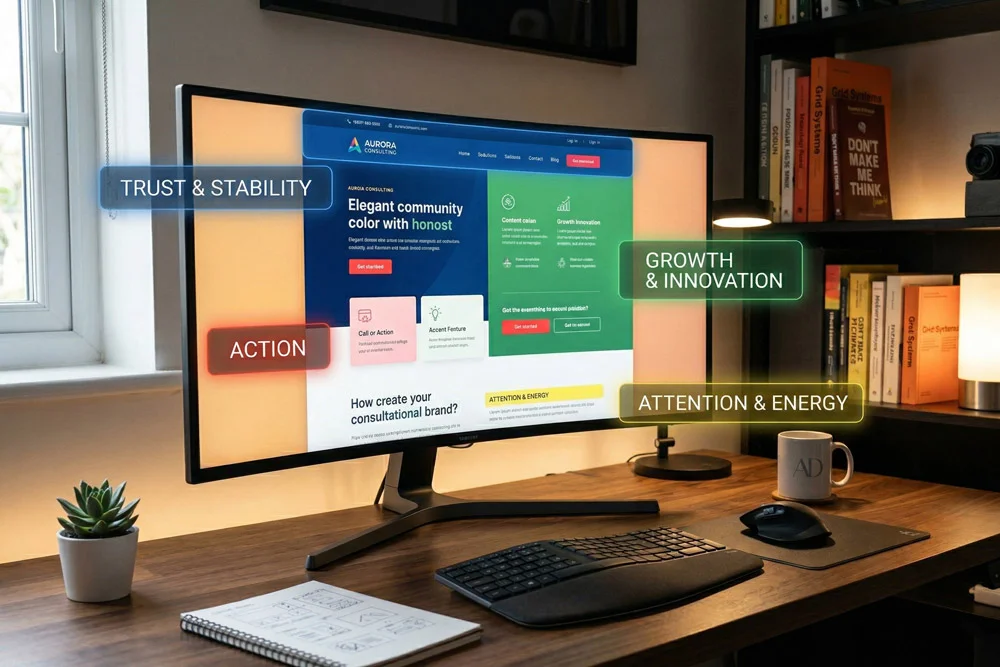
The Psychology of Color in Web Design Edit Template Understanding the Psychology of Color in Web Design is one of the most critical skills for creating digital experiences that resonate with users. As a web developer, it is easy to get lost in the technical intricacies of building a site. However, before a visitor ever interacts with your flawless JavaScript or perfectly structured HTML, they process the visual language of your website. Colors are not just aesthetic choices; they are powerful communication tools. They can dictate a user’s mood, influence their purchasing decisions, and build immediate trust. At Web Design AD, we know that a beautifully customized WordPress site requires more than just clean code. It requires a deep understanding of human behavior. Today, we are going to dive deep into how you can leverage these psychological principles to create better user experiences and drive meaningful engagement. Why the Psychology of Color in Web Design Dictates User Behavior When a user lands on a website, it takes them less than a second to form an opinion about the brand. A massive part of that split-second judgment is driven by the color palette. The Psychology of Color in Web Design plays an essential role in conversion rate optimization (CRO). If you want visitors to subscribe to your Mailchimp newsletter, click a “Buy Now” button, or fill out a contact form, you must use colors that guide their eyes and emotions toward those specific actions. From a development perspective, we use CSS to implement these colors, ensuring they display consistently across all devices. But the strategic choice behind those CSS hex codes is what separates an average website from an exceptional one. The Power of First Impressions Colors communicate brand values instantly. If a corporate law firm uses neon pink and bright yellow, it creates a cognitive disconnect. Users expect stability and professionalism, which are typically represented by deeper, more subdued tones. Aligning your visual identity with user expectations is the foundation of excellent design. Decoding the Psychology of Color in Web Design: Core Meanings Let’s break down the primary colors and explore how they are traditionally perceived in the digital space. Keep in mind that cultural context can shift these meanings, but the following are generally accepted standards in modern UI/UX. Red: Urgency, Passion, and Excitement Red is a highly stimulating color. It increases the heart rate and creates a sense of urgency. This is exactly why clearance sales and error messages frequently utilize shades of red. In web development, using red for primary Call to Action (CTA) buttons can significantly increase click-through rates. However, it must be used sparingly. Overusing red can make a website feel aggressive or overwhelming to the user. Blue: Trust, Security, and Professionalism When you think of the internet’s biggest platforms—like Facebook, LinkedIn, or Twitter—blue is the dominant force. Blue inspires trust, calm, and security. For corporate WordPress themes or financial institutions, blue is often the go-to primary color. It reassures the user that their data is safe and that the business is reliable. When customizing a WordPress site for a B2B client, weaving different hues of blue through your CSS can instantly elevate the site’s perceived authority. Green: Growth, Harmony, and Nature Green is the easiest color for the human eye to process. It is universally associated with nature, growth, health, and wealth. If you are building an e-commerce site focused on organic products, or a financial dashboard tracking investments, green is incredibly effective. It creates a calming user interface that encourages visitors to stay on the page longer. Yellow: Optimism, Youth, and Attention Yellow is the color of sunshine. It radiates positivity and optimism. Because it is highly visible, it is fantastic for drawing attention to specific elements on a page. However, yellow can also cause eye strain if used improperly. As a developer, I often use Photoshop and Illustrator to test different shades of yellow against background colors before ever writing a line of code. Ensuring proper contrast is key to maintaining readability. Applying the Psychology of Color in Web Design to Your WordPress Site Knowing what colors mean is only half the battle. The real challenge is implementing them effectively within your website’s architecture. Here is how we approach color integration at Web Design AD. 1. The 60-30-10 Rule One of the most reliable frameworks in digital design is the 60-30-10 rule. This principle helps maintain a balanced and visually appealing interface. 60% Primary Color: This is the dominant color, often used for backgrounds and large structural elements. It sets the overall tone of the site. 30% Secondary Color: This color supports the primary color. It is used for subheadings, secondary buttons, and highlighting key sections. 10% Accent Color: This is your boldest color. It should be reserved exclusively for your most important CTAs, like “Submit” buttons or limited-time offers. 2. Creating Consistency Across Platforms Your website does not exist in a vacuum. The Psychology of Color in Web Design extends to your entire digital footprint. When a user transitions from your custom WordPress site to a promotional email, the visual experience should be seamless. This means your Mailchimp templates must utilize the exact same hex codes as your website’s CSS stylesheet. Brand consistency builds trust, and trust leads to conversions. 3. Utilizing White Space (Negative Space) While discussing the Psychology of Color in Web Design, we must also talk about the absence of color. White space is critical for cognitive processing. It gives your colorful elements room to breathe. A cluttered website overwhelms the user. By utilizing white space effectively, you guide the user’s eye naturally down the page toward your intended conversion points. Technical Considerations for Color in Web Development As professionals with years of experience navigating HTML, CSS, PHP, and JavaScript, we know that implementing color isn’t just about picking pretty shades. There are technical standards that must be met. Accessibility and Contrast Ratios Web accessibility is no longer optional. When designing a color palette, you must ensure

How to Integrate Mailchimp with WordPress Seamlessly
Email Marketing

How to Integrate Mailchimp with WordPress Seamlessly

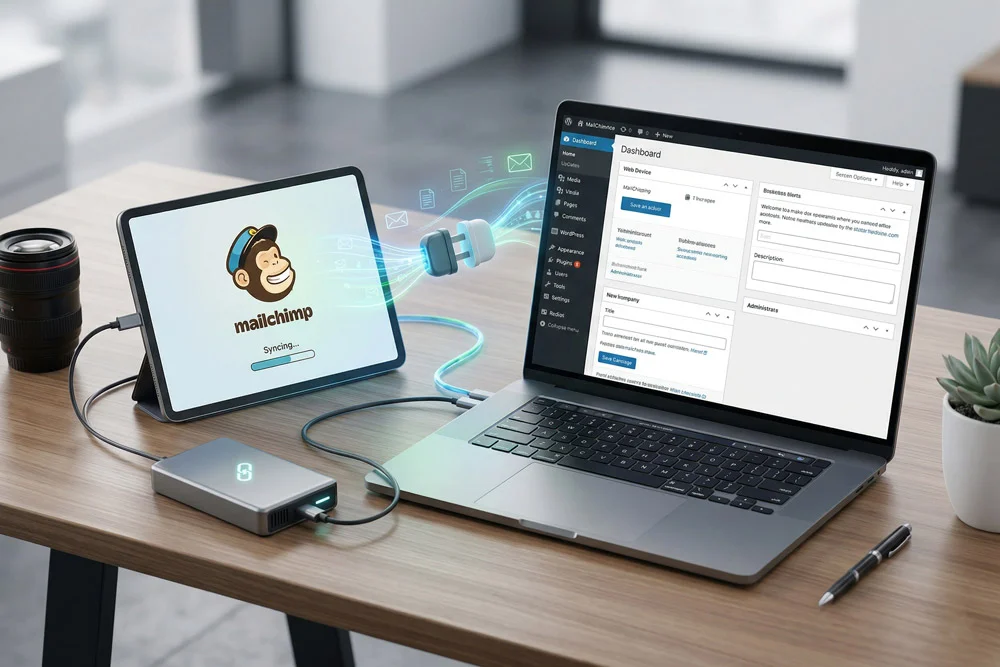
How to Integrate Mailchimp with WordPress Seamlessly Edit Template Hello! I am Adnan Ahmad, a WordPress developer with over 3 years of experience, and the proud founder of Web Design AD. Over the years, I’ve helped countless businesses optimize their websites with custom HTML, CSS, PHP, and JavaScript solutions. One of the most common requests I get from clients is about email marketing automation. If you want to build a loyal audience, you need to integrate Mailchimp with WordPress. Email marketing remains one of the highest-converting channels on the web. By connecting your site to an email powerhouse like Mailchimp, you can automatically capture leads, send newsletters, and grow your business. In this comprehensive guide, I will show you exactly how to integrate Mailchimp with WordPress. Whether you are looking for a simple plugin solution or want to leverage custom code, these powerful steps will make the process seamless. Why You Need to Integrate Mailchimp with WordPress Before diving into the technical steps, it is important to understand the “why.” Your WordPress website is your digital storefront, but most visitors will leave and never return. Collecting their email addresses changes that dynamic entirely. When you successfully integrate Mailchimp with WordPress, you unlock a direct line of communication with your audience. You can send automated welcome emails, product updates, and personalized offers. As someone who focuses heavily on SEO using tools like Rank Math, I can tell you that driving organic traffic is only half the battle. Capturing that traffic is where the real magic happens. Essential Prerequisites for a Seamless Connection To get started, you only need a few basic things in place. First, ensure you have an active Mailchimp account. The free tier is fantastic for beginners and covers up to 500 contacts, which is plenty of room to start testing your campaigns. Second, you need admin access to your WordPress dashboard. Since we will be installing plugins or adding custom snippets of PHP and HTML, you need the right permissions. Once you have these ready, we can proceed to the integration methods. Method 1: Using the MC4WP Plugin (The Easiest Route) For most users, the easiest way to integrate Mailchimp with WordPress is by using a dedicated plugin. The most popular choice is “MC4WP: Mailchimp for WordPress.” It is lightweight, reliable, and incredibly user-friendly. Step 1: Install and Activate MC4WP Navigate to your WordPress dashboard. Go to Plugins > Add New. Search for “Mailchimp for WordPress.” Click “Install Now” and then “Activate.” This plugin acts as the bridge between your website and your mailing list. Step 2: Generate Your Mailchimp API Key To authorize the connection, you need an API key. Log into your Mailchimp account, click on your profile avatar, and navigate to Extras > API keys. Click the “Create A Key” button. Copy this long string of text; you will need it in the next step. Step 3: Connect and Build Your Form Head back to your WordPress dashboard and click on the new “MC4WP” menu item. Paste your API key into the designated field and hit save. Once connected, you can navigate to the “Form” tab to design your opt-in box. Because I have a background in CSS and HTML, I highly recommend tweaking the form markup here to match your brand’s specific design perfectly. Method 2: How to Integrate Mailchimp with WordPress Using Custom HTML If you prefer not to use extra plugins to keep your site exceptionally fast, you can integrate Mailchimp with WordPress using raw HTML. This is a great approach for developers or anyone comfortable with basic code. Inside your Mailchimp dashboard, go to Audience > Signup forms > Embedded forms. Mailchimp will generate a block of HTML code for you. You can customize the fields you want to include, such as First Name and Email Address. Copy this HTML code. In WordPress, you can paste this into a Custom HTML block in the Gutenberg editor, or add it directly to a sidebar widget. If you know a bit of CSS, you can easily style this raw form to look incredibly professional without adding any plugin bloat to your site. Method 3: Connecting via Page Builders Many of my clients at Web Design AD use popular page builders to design their sites. If you are using tools like Elementor Pro or Divi, you already have built-in tools to integrate Mailchimp with WordPress. For instance, in Elementor Pro, you simply drag the “Form” widget onto your page. Under the “Actions After Submit” settings, select “Mailchimp.” You will be prompted to enter your API key directly into the Elementor settings. This method is incredibly visual and allows you to design stunning, high-converting popup forms and landing pages in minutes. Method 4: Advanced Integration with PHP For my fellow developers who want total control, you can integrate Mailchimp with WordPress using PHP and the Mailchimp API directly. This allows you to bypass standard forms entirely and trigger subscriptions based on custom user actions. For example, you could write a custom PHP function in your child theme’s functions.php file that automatically subscribes a user to your Mailchimp list when they register an account on your WordPress site. This requires a solid understanding of API endpoints and cURL requests, but it provides the ultimate seamless experience for your users. Best Practices After You Integrate Mailchimp with WordPress Connecting the platforms is just the beginning. To truly succeed, you need to implement a few best practices. First, always offer a “lead magnet.” People are protective of their inboxes. Offer a free PDF, a discount code, or an exclusive tutorial in exchange for their email. Second, ensure you are compliant with privacy laws like GDPR. Make sure your forms have checkboxes where users explicitly consent to receive marketing emails. The MC4WP plugin makes adding these compliance checkboxes very simple. Finally, monitor your page speed. Adding third-party scripts can sometimes slow down your site. Since we want to maintain top SEO rankings with our Rank Math plugin, make

The Ultimate Guide to Securing Your WordPress Website
Maintenance

The Ultimate Guide to Securing Your WordPress Website

The Ultimate Guide to Securing Your WordPress Website Edit Template Securing your WordPress website is an absolute necessity for any business owner, blogger, or digital entrepreneur navigating the modern web. Cyber threats have evolved rapidly by 2026, with AI-driven brute-force attacks and sophisticated malware probing for vulnerabilities around the clock. Neglecting site protection can lead to devastating data breaches, loss of customer trust, and severe search engine ranking penalties. As the founder of Web Design AD and a developer with years of hands-on experience, I have seen firsthand the damage a compromised site can cause. Implementing robust defenses is not just about keeping hackers out; it is about guaranteeing a seamless, safe experience for your users. Let us explore the most critical, actionable steps you must take to fortify your digital presence. Why Securing Your WordPress Website Cannot Wait WordPress powers a massive portion of the internet. While its core architecture is exceptionally safe, its massive popularity makes it a prime target for automated botnets. Attackers rarely target you specifically; they write scripts that scan millions of URLs searching for weak entry points. Building a solid defense mechanisms ensures these automated scripts hit a brick wall when they reach your domain. 1. Invest in High-Quality, Secure Hosting The foundation of securing your WordPress website starts with where it lives. Shared hosting might save a few dollars initially, but it often shares server resources with hundreds of other sites. If one site on that server is compromised, cross-site contamination is a real risk. Opt for managed WordPress hosting that prioritizes server-level protection. A top-tier host will provide automatic core updates, server-level firewalls, daily automated backups, and proactive malware scanning. Your host is your first line of defense against network-level assaults. 2. Enforce Strong Passwords and Two-Factor Authentication (2FA) The most sophisticated security setup is useless if you leave the front door unlocked. The cornerstone of securing your WordPress website involves strictly managing user credentials. Force all users—especially administrators—to use complex, randomly generated passwords that include a mix of uppercase letters, lowercase letters, numbers, and symbols. Furthermore, implementing Two-Factor Authentication (2FA) is no longer optional in 2026. By requiring a secondary code sent to a mobile device or authentication app, you drastically reduce the chances of a successful unauthorized login, even if an attacker manages to guess a password. 3. Keep Core, Themes, and Plugins Meticulously Updated Outdated software remains the number one vulnerability exploited by malicious actors. Every time a reputable developer releases an update, they often include patches for newly discovered security flaws. Ignoring these updates leaves known backdoors wide open for exploitation. To master the art of securing your WordPress website, you must establish a rigorous update routine. Enable automatic updates for minor core releases. For major updates, themes, and plugins, always test them in a staging environment first to ensure compatibility, but never delay pushing them to your live site once verified. Remove Unused Themes and Plugins Every piece of code installed on your server represents a potential entry point. If you installed a plugin years ago to test a feature and left it deactivated, it still exists on your server. Delete anything you are not actively using to minimize your site’s attack surface. 4. Deploy a Web Application Firewall (WAF) A Web Application Firewall acts as an intelligent shield between your server and the rest of the internet. It inspects all incoming traffic, filtering out malicious requests, SQL injections, and aggressive brute-force attempts before they ever reach your WordPress installation. Popular cloud-based WAFs intercept traffic at the DNS level. This method is incredibly effective for securing your WordPress website because it neutralizes threats at the network edge, saving your server bandwidth and processing power. For more details on how the broader web handles security protocols, you can review the official documentation on Hardening WordPress. 5. Implement a Bulletproof Backup Strategy No system is completely impenetrable. If the worst happens, your backups are your ultimate safety net. A proper backup strategy involves saving copies of both your database and your site files regularly. Store your backups off-site using cloud storage solutions like Google Drive, Dropbox, or Amazon S3. Do not rely solely on your hosting provider’s backups; if your server is compromised, local backups might be destroyed alongside your live site. Test your restoration process periodically to ensure the files are uncorrupted and functional. 6. Limit Login Attempts and Change the Login URL By default, WordPress allows users an unlimited number of login attempts. This setup is a massive vulnerability, allowing automated bots to guess thousands of password combinations per minute. Install a tool that automatically locks out an IP address after a specified number of failed attempts. Additionally, masking your administrative login URL helps hide the door from unauthorized visitors. While changing the default “wp-admin” path is not a comprehensive security measure on its own, it successfully reduces the volume of automated spam traffic hitting your server. 7. Disable File Editing Within the Dashboard WordPress includes a built-in file editor that allows administrators to modify theme and plugin code directly from the dashboard. While convenient, it is extremely dangerous if an attacker gains admin access. They can easily inject malicious PHP code directly into your active theme. Securing your WordPress website requires disabling this feature. You can do this by adding a simple line of code to your wp-config.php file. This forces any code modifications to be done via a secure FTP connection, adding a significant layer of difficulty for anyone trying to alter your core files. Final Thoughts on Digital Protection Building a digital presence takes immense time, creativity, and financial investment. Safeguarding that investment must be an ongoing priority rather than a one-time task. As cyber threats become more intelligent and pervasive, your defense mechanisms must adapt and evolve. Implementing the steps outlined above will dramatically reduce your risk profile and keep your digital assets safe from the vast majority of online threats. Regular audits, proactive monitoring, and strict access controls will ensure your

How to Boost Your WordPress Speed Score to 100%
Speed & Tech

How to Boost Your WordPress Speed Score to 100%

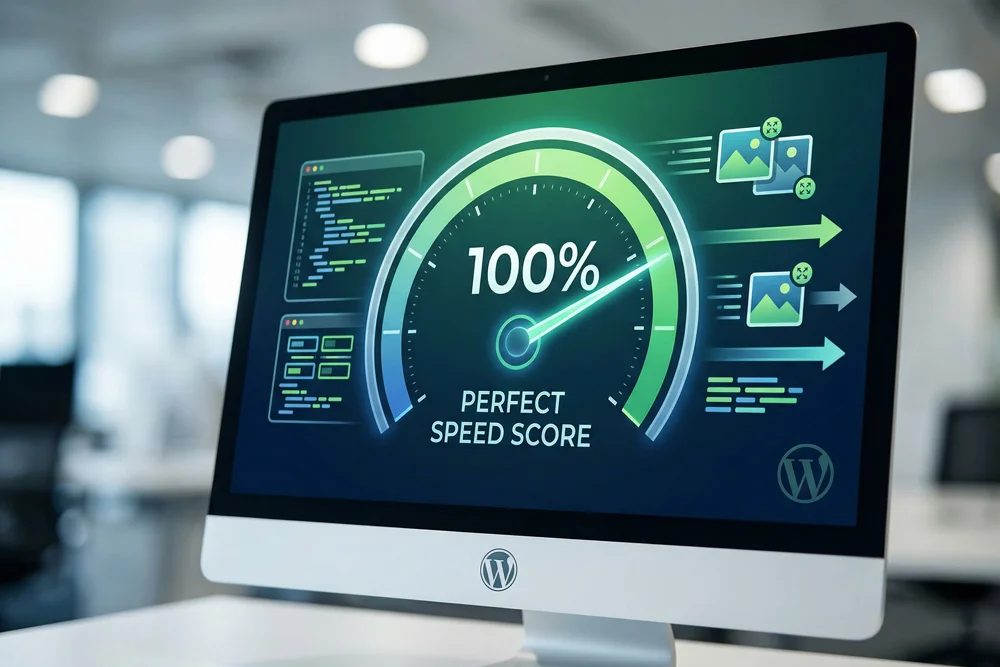
How to Boost Your WordPress Speed Score to 100% Edit Template Are you struggling to boost your WordPress speed score to that coveted 100% mark? You are not alone. In today’s fast-paced digital world, a slow website is an instant conversion killer. As Adnan Ahmad, a WordPress developer with over 3 years of hands-on experience, I have seen firsthand how sluggish loading times can destroy user experience and tank search engine rankings. Here at Web Design AD, we don’t just build visually appealing sites using tools like Photoshop and Illustrator; we engineer them for peak performance under the hood. Whether it is writing clean HTML, custom CSS, efficient PHP, or dynamic JavaScript, every line of code impacts your final load time. In this comprehensive guide, I am going to walk you through the exact, actionable steps you need to take to dramatically boost your WordPress speed score. If you are using optimization tools like the Rank Math plugin for SEO, you already know that Google heavily favors fast websites. Let’s dive into how we can turn your site into a high-speed machine. Why Your WordPress Speed Score is Crucial for SEO and UX Before we jump into the technical fixes, it is essential to understand why your WordPress speed score matters so much. Google’s algorithms prioritize user experience above almost everything else. If a user clicks on your link and has to wait more than three seconds for the page to render, the probability of them bouncing increases by over 30%. A high WordPress speed score is not merely a vanity metric; it is a direct indicator of how efficiently your website communicates with browsers. Faster sites index better, rank higher, and retain visitors longer. This translates directly into more leads, better Mailchimp newsletter sign-ups, and higher revenue for your business. Understanding Core Web Vitals Google evaluates your WordPress speed score using a set of metrics known as Core Web Vitals. These include: Largest Contentful Paint (LCP): Measures loading performance. It should occur within 2.5 seconds. First Input Delay (FID) / Interaction to Next Paint (INP): Measures interactivity and responsiveness. Cumulative Layout Shift (CLS): Measures visual stability to prevent unexpected layout shifts. How to Accurately Measure Your Current WordPress Speed Score You cannot improve what you do not measure. To get an accurate baseline of your WordPress speed score, you need to use reliable diagnostic tools. I recommend checking your site on Google PageSpeed Insights. This tool provides both mobile and desktop scores, along with specific recommendations for improvement. Once you have your baseline score, do not panic if it is in the red. We are going to fix that right now. 7 Powerful Strategies to Boost Your WordPress Speed Score 1. Invest in High-Performance, Managed WordPress Hosting Your hosting provider is the foundation of your website. If you are on a cheap, overcrowded shared server, no amount of frontend optimization will perfectly fix your WordPress speed score. Think of it like putting a Ferrari body on a golf cart engine. Look for managed WordPress hosting that offers server-level caching, dedicated resources, and the latest PHP versions. Upgrading your host is often the single most impactful step you can take. 2. Implement an Aggressive Caching Strategy Caching creates a static version of your dynamic WordPress pages. When a user visits your site, the server delivers the static HTML file instead of querying the database and executing PHP scripts from scratch. This drastically reduces the time to first byte (TTFB) and skyrockets your WordPress speed score. There are fantastic plugins available that handle page caching, browser caching, and object caching. Configuring these correctly is a specialty of ours at Web Design AD. 3. Master Image Optimization and Next-Gen Formats Large, unoptimized images are the number one culprit behind a poor WordPress speed score. As someone who works with Photoshop and Illustrator, I know how easy it is to export massive high-resolution files. However, the web demands efficiency. You must compress your images before uploading them. Furthermore, utilize plugins to convert your JPEGs and PNGs into WebP format. WebP images are significantly smaller without losing visual quality. Always ensure your images have lazy loading enabled so they only load when they enter the user’s viewport. 4. Minify HTML, CSS, and JavaScript Code As a developer familiar with custom HTML, CSS, and Javascript, I can assure you that white space, comments, and line breaks in your code add unnecessary weight to your files. Minification removes all these unnecessary characters, creating a leaner, faster-loading file. When you minify your core web files, the browser can parse and render your site much faster, leading to a direct improvement in your WordPress speed score. 5. Ruthlessly Unload Unused CSS and JS WordPress themes and plugins often load their styling and scripts globally across your entire site, even on pages where they aren’t being used. For example, a contact form plugin might load its JavaScript on your homepage, slowing it down for no reason. By using asset cleanup tools, you can conditionally load scripts and styles only where they are strictly necessary. This significantly reduces the total page size and eliminates render-blocking resources. 6. Clean and Optimize Your WordPress Database Over time, your WordPress database becomes cluttered with post revisions, trashed comments, transient options, and orphaned meta data. A bloated database takes longer to query, which directly harms your WordPress speed score. Regularly schedule automated database cleanups. Keeping your database lean ensures that WordPress can fetch the data it needs to build your pages almost instantly. 7. Leverage a Global Content Delivery Network (CDN) If your server is located in New York, a visitor from London will naturally experience a slight delay as data travels across the ocean. A Content Delivery Network (CDN) solves this by storing cached copies of your static assets (images, CSS, JS) on a network of servers around the globe. When someone visits your site, the CDN serves the files from the data center closest to their physical location. This drastically reduces

Rank Math vs. Yoast: Why We Choose Rank Math for Best Results - Rank Math vs Yoast
SEO Strategies

Rank Math vs. Yoast: Why We Choose Rank Math for Best Results

Rank Math vs. Yoast: Why We Choose Rank Math for Best Results Edit Template When it comes to securing top-tier search engine rankings, the Rank Math vs Yoast debate is one of the most common discussions among website owners today. If you want your site to be in the top SEO ranking, choosing the right optimization plugin is an absolute necessity. I am Adnan Ahmad, a WordPress developer with three years of dedicated experience. Through my agency, Web Design AD, I have helped countless businesses elevate their digital presence. Having navigated the intricacies of WordPress customization, HTML, CSS, PHP, and JavaScript, I know what it takes to build a site that not only looks exceptional but performs flawlessly in search engine results pages (SERPs). Over the years, I have extensively tested various SEO tools. Today, I am going to break down the exact reasons why Web Design AD exclusively trusts Rank Math over the long-standing industry giant, Yoast SEO. Let us dive deep into the features, performance, and real-world applications of these two powerful plugins. The Evolution of WordPress SEO and Why the Tool Matters Before we dissect the Rank Math vs Yoast showdown, it is important to understand how SEO has evolved. Gone are the days when simply stuffing a keyword into your content guaranteed a page-one ranking. Modern SEO requires sophisticated schema markup, lightning-fast loading speeds, and deep integration with search engine APIs. A good SEO plugin acts as a bridge between your high-quality content and Google’s crawling bots. It handles the technical heavy lifting, allowing you to focus on creating value for your readers. While both plugins are highly capable, one offers a distinctly modern, lightweight approach that aligns perfectly with a developer’s workflow. Understanding the Contenders: Rank Math vs Yoast To make an informed decision, we must first look at the background of both plugins. Each has its strengths, but they approach website optimization from very different angles. What is Yoast SEO? Yoast SEO has been the undisputed king of WordPress optimization for over a decade. It introduced millions of users to the concept of the “traffic light” system—green means good, red means bad. It is a reliable, robust tool that paved the way for on-page optimization. However, as the web has modernized, some developers find its legacy codebase to be slightly heavier than newer alternatives. What is Rank Math? Rank Math is the ambitious challenger that disrupted the market. Built from the ground up to be lightweight and modular, it immediately gained traction among professionals. It offers premium-level features completely free of charge and boasts an incredibly intuitive user interface. For a fast-paced agency environment, this agility is highly attractive. 7 Powerful Factors in the Rank Math vs Yoast Showdown Now, let us get into the technical details. When evaluating Rank Math vs Yoast, I look at everything from code cleanliness to the end-user experience. Here are the seven core reasons why Rank Math wins. 1. User Interface and Overall Experience (UI/UX) As a developer who works with complex HTML, PHP, and JavaScript daily, I appreciate clean, logical interfaces. Yoast’s dashboard can sometimes feel cluttered, with settings scattered across multiple menus and a heavy reliance on aggressive upselling banners. Rank Math, on the other hand, operates seamlessly within the native WordPress block editor. It feels like a natural extension of the platform rather than a bulky add-on. The setup wizard is incredibly straightforward, automatically importing your previous settings if you are making the switch. This clean UI saves valuable time during client site handovers. 2. The Feature Set in the Free Versions This is where the Rank Math vs Yoast comparison truly tilts in Rank Math’s favor. Yoast heavily restricts its free version. If you want to optimize for multiple keywords, add advanced schema, or use their redirection manager, you must purchase the premium license. Rank Math gives you all of these features for free. Out of the box, you can optimize for up to five keywords, manage 301 and 302 redirects, and implement sophisticated schema types. For small business clients who are just starting out, this provides immense value without immediate overhead costs. 3. Performance, Speed, and Code Bloat Site speed is a critical ranking factor. A website with beautifully written CSS and streamlined JavaScript will still suffer if the backend plugins are dragging down the server response time. Yoast has historically been known to add a fair amount of bloat to the WordPress database. Rank Math was explicitly designed to be modular. You can disable any feature you are not actively using, ensuring that no unnecessary code runs in the background. In my performance tests at Web Design AD, sites running Rank Math consistently showcase fewer database queries and faster Time to First Byte (TTFB). 4. Advanced Schema Markup Capabilities Search engines love structured data. Schema markup helps Google understand exactly what your page is about—whether it is an article, a product, a recipe, or a local business. Yoast provides basic schema, but it is largely automated and offers limited manual control in the free version. Rank Math features a highly advanced schema generator. You can custom-build your rich snippets, mixing and matching different data types. For clients who need highly specific rich results in the SERPs, this level of control is non-negotiable. 5. Keyword Optimization and Analysis Analyzing the Rank Math vs Yoast keyword tools reveals distinct philosophies. Yoast’s readability analysis is famous, but it can sometimes feel overly rigid, forcing writers into unnatural phrasing just to get a “green light.” Rank Math assigns a score out of 100. It provides actionable, precise recommendations without being overly prescriptive. Furthermore, its integration with Google Trends directly inside the dashboard allows you to visually compare search volumes before committing to a specific focus keyword. For more insights on how search engines process these keywords, you can read the official Google SEO Starter Guide. 6. Seamless Integration with Modern Tools A successful digital strategy requires multiple tools working in harmony. While my foundational skills

Custom WordPress Website Design: The Key to Online Success - Custom WordPress website design
Development

Custom WordPress Website Design: The Key to Online Success

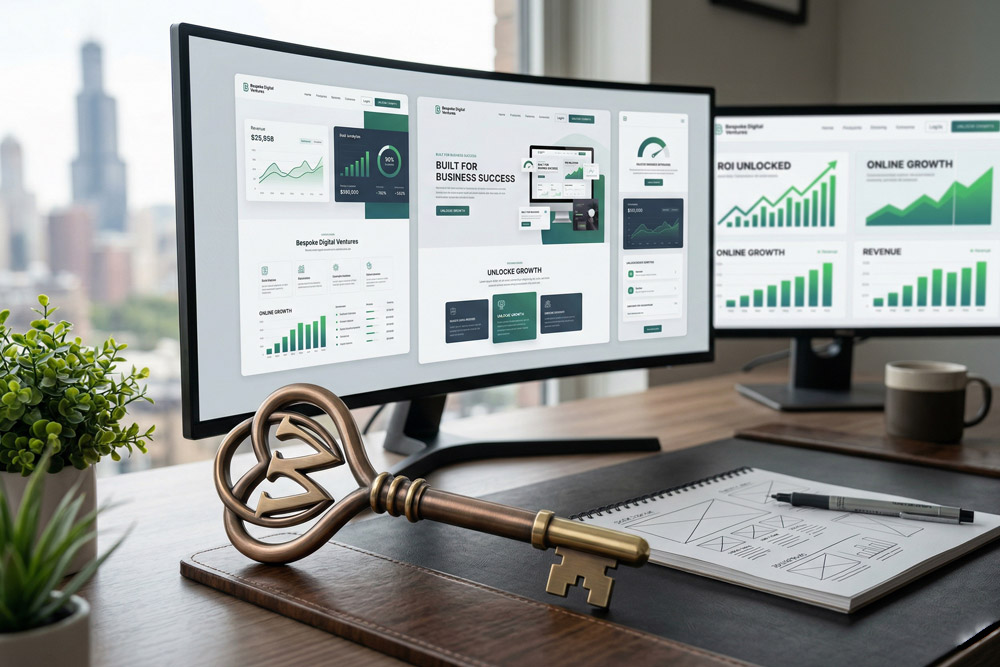
Custom WordPress Website Design: The Key to Online Success Edit Template Investing in a custom WordPress website design is the absolute foundation of building a profitable and sustainable digital business today. Welcome to Web Design AD! I am Adnan Ahmad, a dedicated WordPress developer with over three years of specialized experience. In the modern digital landscape, relying on pre-packaged, generic templates is a risky and often costly move. Your business is completely unique, and your digital storefront should reflect that individuality to capture your specific audience’s attention. Throughout my career developing bespoke solutions, I have seen firsthand how a strategic, tailored approach to web development can completely transform a brand’s online trajectory. It is never just about aesthetics; it is fundamentally about performance, security, and scalability. In this incredibly comprehensive guide, we are going to explore why investing in a custom WordPress website design is the most critical decision you can make for your brand’s digital future. We will dive deep into the technical, visual, and marketing aspects that make a bespoke site so undeniably powerful. The True Power of a Custom WordPress Website Design When you choose a custom WordPress website design, you are investing in a tailored solution built specifically for your target audience. You are not forcing your brand’s unique identity into a rigid, predetermined box. Commercial templates are built to appeal to the absolute widest masses possible. Because of this, they are almost always loaded with bloated code, unnecessary features, and slow-loading scripts that your specific business will never actually use. At Web Design AD, my approach to custom WordPress website design removes all that technical friction. We build exactly what you need from the ground up, ensuring a lean, lightning-fast, and highly optimized digital experience that search engines adore. Standing Out in an Incredibly Crowded Market Take a moment to consider how many direct competitors you have in your specific niche. If you are all using variations of the exact same three popular themes, how do you expect a potential customer to remember your brand? A bespoke visual identity captures user attention immediately. It builds instant credibility and unbreakable trust. When users see a polished, uniquely crafted interface, they automatically associate your brand with high-quality service and premium offerings. By leveraging a custom WordPress website design, you take total control of the entire user journey. You can guide visitors exactly where you want them to go without the confusing detours inherent in generic theme layouts. The Technical Architecture of Custom WordPress Website Design Beautiful design is only half the battle in the digital world. As a dedicated developer, I know that the underlying code is what truly powers a successful custom WordPress website design. My daily technical stack includes deep expertise in WordPress customization, HTML, CSS, PHP, and JavaScript. Each of these robust languages plays a crucial role in bringing a bespoke, high-performance layout to life. Let us break down exactly how these technical elements work together seamlessly to build a superior, revenue-generating online platform for your business. Mastering HTML and CSS for Perfect Layouts HyperText Markup Language (HTML) acts as the structural skeleton of your entire site. In a custom WordPress website design, writing clean, highly semantic HTML5 is non-negotiable for web accessibility and rapid search engine indexing. Cascading Style Sheets (CSS) is where the true visual magic happens. Instead of relying on a drag-and-drop theme builder that generates messy, conflicting inline styles, writing custom CSS ensures your site loads at blinding speeds. By writing precise, modular CSS, we can ensure your website looks completely flawless on a massive desktop monitor and a small mobile screen alike. This highly responsive approach is a foundational pillar of modern web development. Leveraging PHP and JavaScript for Dynamic Functionality The WordPress core is built fundamentally on PHP. When crafting a custom WordPress website design, custom PHP coding allows us to create totally unique post types, tailored database queries, and highly specific functionalities that off-the-shelf plugins simply cannot handle. JavaScript is what brings modern interactivity to the table. Whether it is a dynamic pricing calculator, a custom interactive slider, or seamless asynchronous form submissions, JavaScript makes the user experience feel native and incredibly smooth. By utilizing clean custom code rather than heavy, bloated plugins, we drastically reduce the massive risk of plugin conflicts and critical security vulnerabilities. To understand more about elite coding standards, you can review the official WordPress Developer Resources. Visual Brilliance in Custom WordPress Website Design While I am fundamentally a backend and frontend developer at heart, I intimately understand the critical importance of visual hierarchy. A truly magnificent custom WordPress website design marries flawless backend code with compelling, conversion-focused graphics. I actively utilize industry-standard tools like Adobe Photoshop and Adobe Illustrator in my initial workflow. Even utilizing these tools as a beginner for specific UI components, understanding how to manipulate vector graphics and optimize raster images is essential for a fast web. We use these powerful design tools to meticulously map out wireframes and user interfaces before a single line of code is ever written. This strict process ensures the client and the developer share the exact same crystal-clear vision. Translating Strategic Design to Flawless Code High-resolution images and massive graphics can bring a beautiful site to a grinding halt if not handled with expert care. A absolutely vital part of custom WordPress website design is aggressive asset optimization. We compress all images losslessly, utilize next-generation web formats like WebP, and implement aggressive lazy loading protocols. This means your stunning visual assets never compromise your critical page load speeds. Every single visual element is meticulously coded to ensure it scales perfectly, maintaining crisp resolution across retina displays and standard monitors alike. This attention to detail is what separates a good site from an incredible one. Dominating Search Rankings with Custom WordPress Website Design Let us talk seriously about search engine visibility. You want your site to be at the absolute top of the SEO rankings, and a strategic custom WordPress website design is

7 Proven Ways Custom Web Design Boosts Your Revenue
Web Strategy

7 Proven Ways Custom Web Design Boosts Your Revenue

7 Proven Ways Custom Web Design Boosts Your Revenue Edit Template Welcome to Web Design AD! I am Adnan Ahmad, a WordPress developer with years of experience helping businesses scale their online presence. Today, we are diving deep into a topic that every business owner cares about: revenue. If you are relying on generic templates, you might be leaving money on the table. A strategic, custom web design is not just about making things look pretty. It is a powerful sales tool designed to convert visitors into loyal customers. At the beginning of any digital strategy, understanding the ROI of your website is crucial. In this comprehensive guide, I will show you exactly how investing in custom web design directly impacts your bottom line. 1. A Custom Web Design Creates Unmatched Brand Trust First impressions matter. When a potential customer lands on your site, it takes them less than a second to form an opinion about your business. If your site looks like a carbon copy of a competitor’s, you instantly lose your unique value proposition. This is where custom web design steps in. By utilizing custom HTML, CSS, and precise typography, we can build a digital storefront that perfectly mirrors your brand’s personality. The Psychology of Customization Templates are built for the masses. They are rigid. A custom web design, on the other hand, is built around your specific target audience. When you use tools like Photoshop and Illustrator to craft unique graphic elements, you signal to your audience that you are a premium brand. Premium brands command premium prices. When users trust your visual presentation, they are far more likely to input their credit card information. If you want to learn more about how we build brands, check out our web design services 2. Superior SEO Architecture Out of the Box As someone who works extensively with the Rank Math plugin, I can tell you that search engine optimization is heavily dependent on how your site is built. You cannot simply slap a plugin onto a bloated template and expect top rankings. A custom web design allows developers to write clean, semantic HTML5 code. Search engine crawlers from Google love clean code. It allows them to understand your content structure instantly. Core Web Vitals and Custom Code Google’s Core Web Vitals are a major ranking factor. Pre-packaged themes often load dozens of unnecessary Javascript and CSS files, tanking your scores. With a custom web design, we only load the scripts we need. We use clean PHP to query the WordPress database efficiently. Better SEO means higher rankings. Higher rankings mean more organic traffic. And more organic traffic inevitably leads to increased revenue. For more insights on search guidelines, you can read the Google SEO Starter Guide. 3. Laser-Focused User Experience (UX) Your website should act as your best salesperson, working 24/7. A custom web design allows you to map out the exact customer journey you want your visitors to take. Instead of forcing your content to fit into a pre-made layout, we design the layout around your content. This reduces friction. We eliminate confusing navigation menus and replace them with intuitive, user-friendly interfaces. Reducing Bounce Rates When users cannot find what they are looking for, they leave. This is known as the bounce rate. High bounce rates kill revenue. Through custom web design, we analyze user behavior and structure the site to keep them engaged longer. 4. Lightning-Fast Page Load Speeds Did you know that a one-second delay in page load time can result in a 7% reduction in conversions? If your site earns $1,000 a day, that single second could cost you $25,550 a year. Templates are notoriously slow. They try to be everything to everyone. A custom web design is lean. We optimize every single image, minify our CSS and JavaScript files, and leverage server-side caching. Technical Performance Tweaks As a WordPress developer, I implement custom PHP functions to bypass heavy plugins. By keeping the WordPress core lightweight, a custom web design ensures your pages load in the blink of an eye, keeping potential buyers on your site and pushing them toward the checkout page. 5. Seamless Third-Party Integrations Every business uses different tools to operate. You might use Mailchimp for email marketing, a specific CRM for lead management, or a custom payment gateway. Trying to force these into a rigid template often leads to broken features. With a custom web design, integration is seamless. I specialize in integrating platforms like Mailchimp directly into the site’s architecture using APIs. This ensures that when a user subscribes, the data flows perfectly, triggering your automated sales funnels. Building Custom Lead Magnets We can design highly converting pop-ups and inline forms using custom CSS and JavaScript that don’t annoy the user but rather invite them to join your community. To see how we handle custom integrations, feel free to contact Web Design AD today. 6. True Mobile Responsiveness Over 50% of all global web traffic comes from mobile devices. Having a site that “works” on mobile is no longer enough. It needs to provide a flawless mobile experience. Many pre-made themes claim to be responsive, but they merely shrink desktop elements down to fit a smaller screen. This results in tiny text, unclickable buttons, and frustrated users. Mobile-First Custom Web Design A true custom web design takes a mobile-first approach. We use CSS media queries to completely restructure the layout for smartphones. Buttons are made thumb-friendly. Navigation is simplified. This dedication to mobile UX directly translates to higher mobile sales. 7. Scalability for Long-Term Growth Your business is going to grow. Your website needs to grow with it. One of the biggest hidden costs of cheap templates is that you eventually outgrow them, forcing you to rebuild the site from scratch a year later. Investing in a custom web design means building a scalable foundation. Need to add an e-commerce store later? No problem. Need to build a custom membership portal? The underlying PHP architecture can handle it.